

Table of Contents
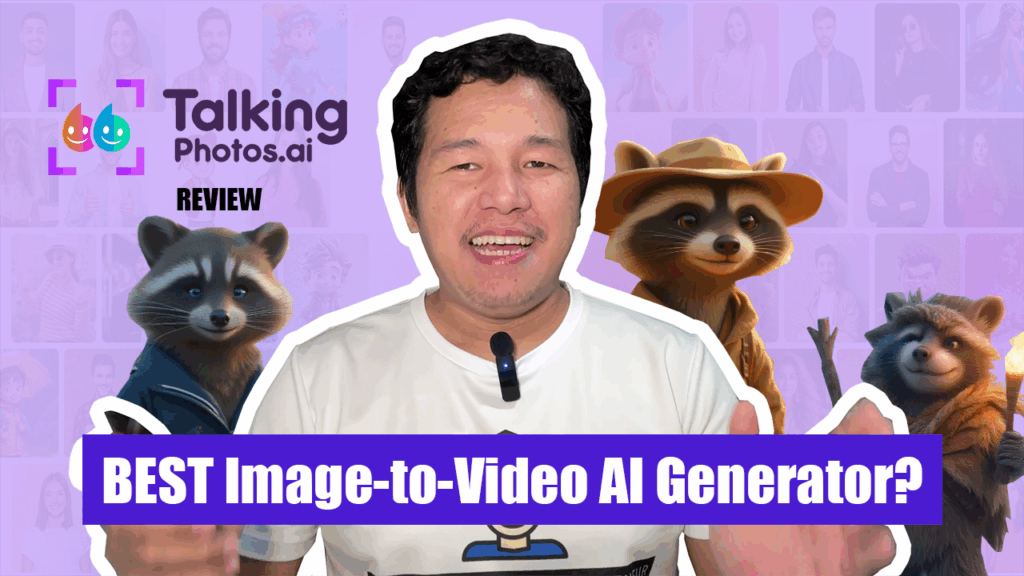
If you're a content creator, educator, or marketer looking for a way to bring your static images to life without hiring actors, investing in complex animation, or even showing your face — TalkingPhoto.AI might be the tool you’ve been searching for.
In this deep-dive review, we’ll explore:
- What is TalkingPhoto AI?
- How it works
- Its features and use cases
- What I liked and disliked
- Whether it’s worth the price
- A sample output I created for educational purposes
Let’s get started.
What is TalkingPhoto AI?
If this is your first time hearing about TalkingPhoto.AI, it’s an artificial intelligence tool designed to animate still images — making them talk using lip-sync and facial motion powered by your own voiceover or typed text.
Imagine uploading a portrait photo, typing a script, and seconds later having that photo speak fluently as if it were a real person or character. That’s exactly what this tool does.
It’s part of the Creative Reality™ Studio developed by D-ID, a leading company in the AI media generation space.
How Does TalkingPhoto.AI Work?
Here’s a step-by-step of how simple the process is:
- Upload a photo – You can use real human portraits or AI-generated faces.
- Choose a voice – Either upload your own audio or select from the AI text-to-speech (TTS) voices in various languages and accents.
- Generate – The system automatically animates the photo using advanced facial mapping and deep learning.
- Export – Download the talking video and use it for content, presentations, explainer videos, or even comedy skits.
The process takes less than a minute, and the final output is surprisingly realistic, depending on the photo and voice combination you use.
Key Features of TalkingPhoto.AI
TalkingPhoto AI offers a powerful set of tools that make it stand out among other image-to-video generators. Let’s break down the main features:
🎙️ Text-to-Speech Integration
Choose from over 100 realistic AI voices in multiple languages. You can customize the tone, pitch, and speed, allowing your character to sound emotional, calm, excited, or even robotic.
📷 Photo Animation Engine
The system uses advanced facial recognition to detect key points on the face and animate them naturally. This includes:
- Lip movement
- Eye blinking
- Subtle facial gestures
🧠 AI Lip-Sync Accuracy
One of the standout features is the synchronization accuracy between voice and facial movement. While not perfect, it’s highly convincing—especially for short-form content.
🌍 Language Support
The platform supports multilingual scripts, making it ideal for creators in different regions.
📤 Audio Upload Option
Don’t want to use text-to-speech? You can upload your own voice recording to make it even more personal.
🔧 Interface Simplicity
It’s 100% web-based. You don’t need any technical skills or software downloads. Even a complete beginner can generate a video in under 5 minutes.
Who Should Use TalkingPhoto.AI?
TalkingPhoto AI is best suited for the following groups:
🧑🏫 Educators
Teachers and coaches can use animated characters to explain lessons in a fun, engaging way. Imagine a dinosaur “talking” about its extinction, or a scientist from history explaining their own discoveries.
🎙️ Content Creators
YouTubers, podcasters, and influencers can use TalkingPhoto to create engaging faceless videos, intros, or short explainer content for social media.
💼 Business Professionals
Present data or pitch your product using a branded AI avatar. This is a game-changer for sales videos, onboarding tutorials, and client presentations.
🐶 Storytellers and Animators
Tell compelling stories through talking characters, whether they’re historical figures, fantasy creatures, or even animals with personality.
Pros and What I Loved
Here’s what stood out to me while using TalkingPhoto AI:
✅ Beginner-Friendly Interface
No steep learning curve. Upload a photo, enter your script, pick a voice, and hit generate. That’s it.
✅ Fast Rendering
The tool generates videos much faster than most AI animation tools I’ve tried.
✅ Realistic Output
While not Hollywood-grade, the results are surprisingly lifelike, especially with portrait-style images and professionally written scripts.
✅ Ideal for Faceless Content Creators
If you want to stay anonymous online or create character-driven videos, this tool is perfect. No need to record your face or voice.
✅ Lifetime Access Option
Unlike other platforms that require monthly payments, TalkingPhoto AI currently offers a one-time payment with lifetime access, including future updates. This is rare and a huge plus.
Cons and Limitations
No tool is perfect. Here’s what I think TalkingPhoto AI could improve on:
❌ Limited Full-Body and Side-Angle Support
If you're planning to animate animals, fantasy creatures, or side-profile photos, the results may look awkward or unnatural. It works best on front-facing human portraits.
❌ No Real Gesture Animation
The animations are focused only on the face. There’s no hand or body movement, which limits storytelling dynamics.
❌ Limited Voice Emotion in TTS
While the voice selection is solid, some AI voices still sound robotic, especially during longer speeches.
❌ Internet-Dependent
Because it’s web-based, you need a stable internet connection to use it efficiently.
Real-World Sample: Educational Use Case
To see how TalkingPhoto AI performs in actual content, I created a 3-minute educational video featuring an animated AI character explaining historical facts. The result was:
- Engaging
- Professional-looking
- Perfectly lip-synced
- Easy to create in under 10 minutes
You can watch the sample in my full YouTube video.
Is TalkingPhoto AI Worth It?
Let’s break it down:
| Criteria | Verdict |
|---|---|
| Ease of Use | ⭐⭐⭐⭐⭐ (Perfect for beginners) |
| Output Quality | ⭐⭐⭐⭐ (Impressive for portraits, some limitations for animals) |
| Customization | ⭐⭐⭐ (Good, but lacks fine control on expressions) |
| Price | ⭐⭐⭐⭐⭐ (Lifetime access = great value) |
| Support | ⭐⭐⭐⭐ (Responsive and helpful) |
✅ Yes – it’s worth it for:
- Content creators
- Educators
- Small business owners
- Anyone starting faceless YouTube channels
❌ No – it’s not ideal for:
- Professional animators
- Full-body animated projects
- Game developers or cinematic creators
Final Thoughts
TalkingPhoto AI is a powerful tool for bringing static images to life — whether you're telling stories, educating your audience, or creating a faceless brand. With its beginner-friendly interface, fast rendering, and lifetime access option, it’s easily one of the best image-to-video AI generators available today.
If you're on a budget, want to stay anonymous, or simply want to explore creative AI storytelling — give TalkingPhoto AI a try.
Get Started Now
👉 You can try it out using my referral link in the description.
📌 It’s currently on a discounted lifetime deal, so grab it before it’s gone.
What Do You Think?
Do you think TalkingPhoto AI is a game-changer?
Would you use it for your content creation?
Or do you think it still needs improvement?
👇 Leave your thoughts in the comments section of the video — I’d love to hear your opinion!


Discussion (0)
Leave a comment
No comments yet. Be the first to share your thoughts!