

Table of Contents
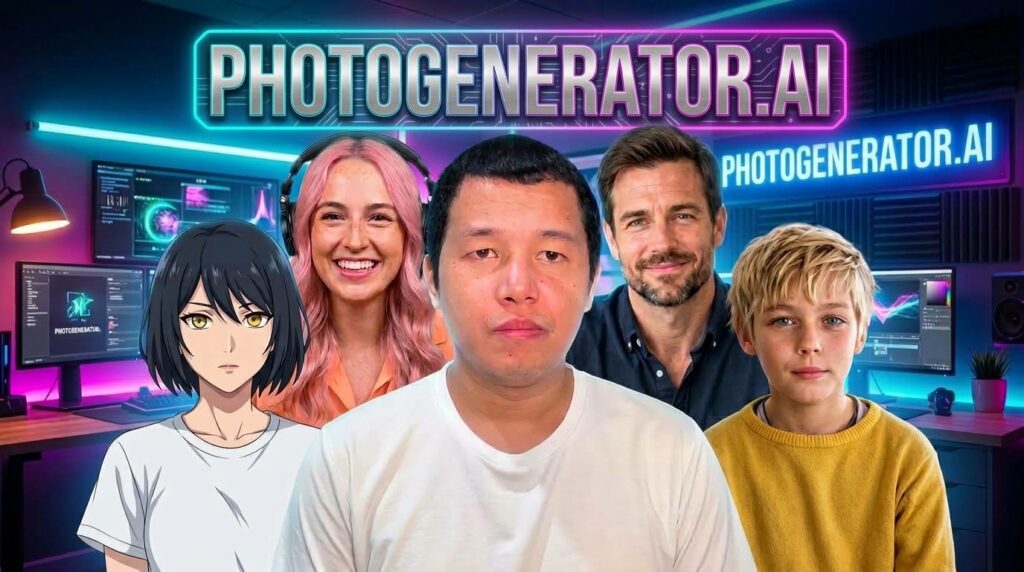
Photo Generator AI (PhotoGenerator.ai) is an all-in-one, next-generation AI creative suite built to streamline content creation across video, photography, audio, and character design.
Designed for modern creators, digital marketers, and developers, it eliminates the need to switch back and forth between multiple software subscriptions by unifying advanced generative models into a single, cohesive workflow platform.
Core Product Offerings and Categories
The platform organizes its powerful creative suite into four distinct pillars, housing specialized neural tools designed for professional-grade output production.
1. Video Tools
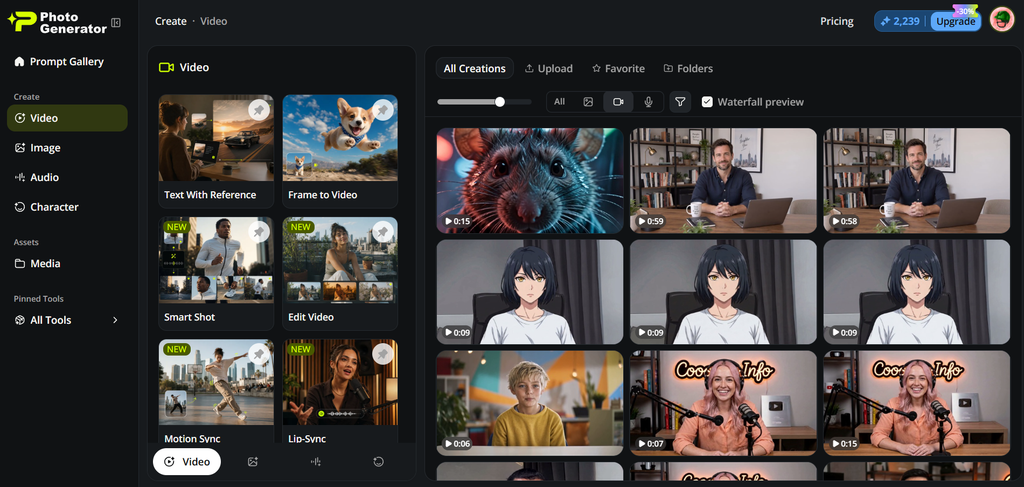
- Text With Reference: Generate coherent, context-aware video clips by combining descriptive text prompts alongside a visual reference asset to dictate composition, color palette, or motion tracking.
- Frame to Video: Convert a single static frame, concept sketch, or photograph into a smooth, dynamic video sequence with advanced interpolation and depth continuity.
- Smart Shot: An intelligent director tool that automates complex camera framing, cinematic sweeps, and focus pulls based on your scene description.
- Edit Video: Comprehensive timeline and AI-assisted video editing capabilities allowing cut, splice, color grading, and visual enhancement without external software.
- Motion Sync: Synchronize background movements, character motion paths, or object trajectories seamlessly with audio tracks or secondary visual layers.
- Lip-Sync: Accurately map audio dialogue onto character facial features and mouth movements for realistic, localization-ready talking heads.
- Upscale Video: Boost low-resolution or legacy video files into crisp high-definition formats utilizing generative neural upscaling to restore edge details and reduce artifacts.
- Extend Video: Seamlessly lengthen existing video clips by predicting and generating plausible upcoming frames that match the lighting, physics, and style of the original footage.
- Add Sound Effect: Automatically analyze visual actions within a video clip and populate a synchronized audio track with custom, context-appropriate sound effects.
- Restyle Video: Transform the entire artistic aesthetic of a video file—shifting from live-action to 3D render, anime, cyberpunk, or oil painting styles—while maintaining frame-by-frame stability.
2. Image Tools
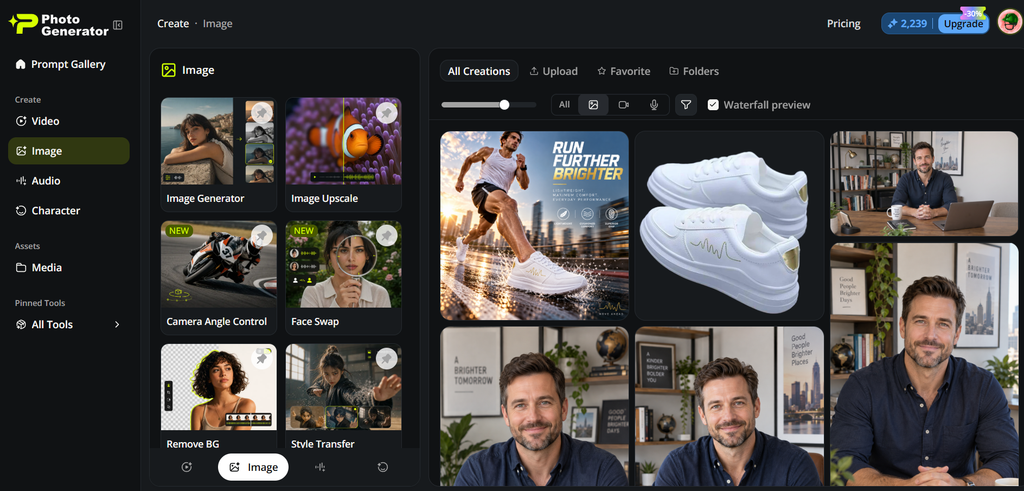
- Image Generator: A versatile text-to-image engine that transforms simple natural language descriptions into high-resolution, photorealistic or stylized visual assets.
- Image Upscale: Enhance pixel density, sharpness, and clarity of images, scaling them up for print or professional web display without losing structural integrity.
- Camera Angle Control: Fine-tune the perspective, focal length, and virtual lens positioning (e.g., macro, wide-angle, telephoto) of your generated compositions.
- Face Swap: Precisely replace faces within images while matching lighting, skin tone, grain structure, and facial expressions effortlessly.
- Remove BG: Instantly strip away complex backgrounds from subjects, leaving clean transparent layers or isolation masks for commercial product shots.
- Style Transfer: Apply the texture, brushstrokes, or color grading of a reference artwork onto your target image to achieve custom visual cross-overs.
- Image Edit: In-paint, out-paint, add, or erase specific objects within an image canvas using plain text commands.
3. Audio Tools
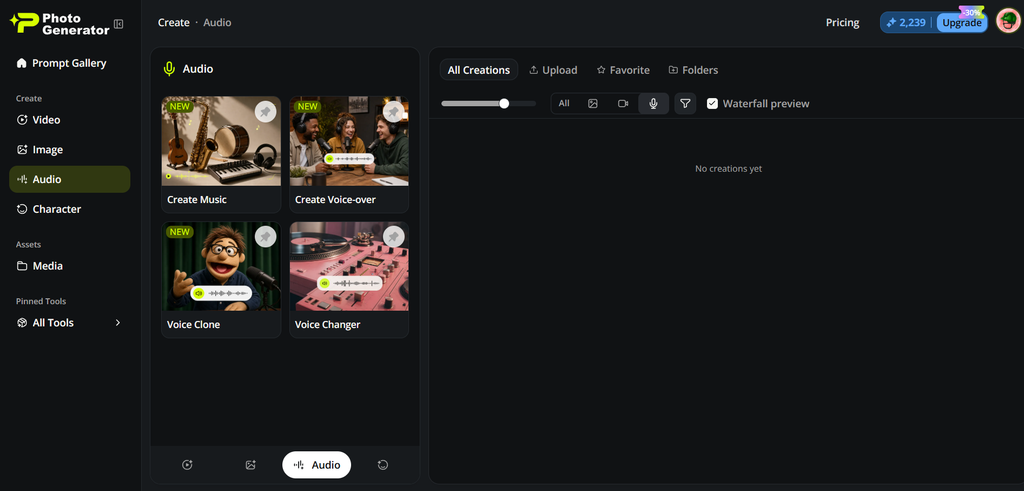
- Create Music: Compose original royalty-free musical tracks tailored to specific genres, tempos, moods, and lengths for background scores or commercial spots.
- Create Voice-over: Turn written scripts into natural-sounding speech across multiple languages, accents, and emotional inflections using advanced text-to-speech models.
- Voice Clone: Train a custom voice model using short audio samples to replicate specific voice timbres for narration and character dubbing.
- Voice Changer: Modify existing vocal recordings in real-time or post-production to alter pitch, tone, age, or character identity securely.
4. Character Tools
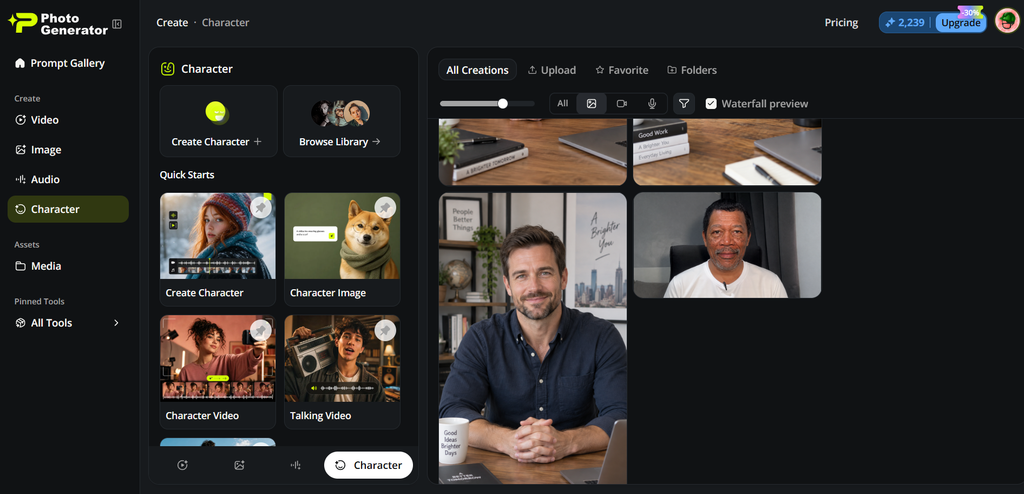
- Create Character: Design entirely original, consistent multi-angle AI characters with persistent physical traits for storytelling, branding, or gaming.
- Character Image: Generate distinct character concept shots, portrait variations, and costume adjustments while keeping facial features stable.
- Character Video: Animate your custom-designed characters moving, walking, or performing specific narrative actions.
- Talking Video: Bring static character portraits or avatars to life with synchronized speech, blinking, and micro-expressions.
- Motion Sync (Character): Map sophisticated physical body movements and gestures onto custom-generated or uploaded character models.
Who is PhotoGenerator.ai For?
PhotoGenerator.ai caters to a wide variety of digital workflows, including:
- Digital Marketers & Ad Creators: For rapidly building advertising graphics and promotional videos.
- Faceless Content Creators & Automation Channels: For producing automated video shorts without showing a real face.
- E-Commerce Business Owners: For generating product mockups and background removals effortlessly.
- Personal Brands & Social Media Influencers: For maintaining a consistent presence across platforms using custom avatars and voice clones.
- Storytellers, Filmmakers, & Animators: For building unique character sheets and dynamic scene transitions.
Pricing Overview
Compared to competitor platforms in the AI generation space, PhotoGenerator.ai offers one of the most cost-effective pricing structures on the market:
- Monthly Plans: Start at $12/month for entry-level access.
- Annual Plans: Offer heavy discounts (roughly 30% off), bringing costs down to about $10/month billed annually ($120/year) to maximize video output capacity.
- On-the-Go Packs: Ranging from $99 up to $499 for flexible credit scaling based on heavy project requirements.
Platform Pros and Cons
Pros:
- All-in-One Ecosystem: Eliminates fragmented toolchains by housing video, image, audio, and character engines under one roof.
- Rapid Iteration: Generates complex assets in seconds, drastically accelerating prototyping and content pipelines.
- Cost-Effective Pricing: Significantly cheaper than subscribing to multiple standalone AI applications.
- User-Friendly Interface: Clear categorical separation and prompt galleries make navigating complex AI models straightforward.
Cons:
- Learning Curve for Advanced Tools: Mastering multi-step workflows like Motion Sync and Character Video requires practice and precise prompting.
- Credit Consumption: Heavy usage of intensive video generation and upscaling tools can deplete account allowances quickly.
- Internet Dependency: Being a cloud-powered ecosystem means uninterrupted, high-speed connectivity is required for seamless rendering.
Conclusion
PhotoGenerator.ai successfully bridges the gap between fragmented creative applications, offering an affordable, feature-packed environment for creators looking to scale up their digital production.
Whether you want to eliminate content creation fatigue, build automated faceless channels, or craft professional ad assets without an expensive creative team, this ecosystem provides the necessary tools under one roof.
For creators ready to streamline their workflow and maximize productivity, checking out PhotoGenerator.ai is well worth the investment.



Discussion (0)
Leave a comment
No comments yet. Be the first to share your thoughts!